Technology - how a frame becomes an event
VAP runs NVIDIA GPU inference through ONNX Runtime. Every number on this page was measured on a named card, on a stated date, with a command you can run on your own box - and we tell you which numbers are measured and which are scaled.
ONNX Runtime · TensorRT EP
Detector execution-provider order: TensorRT → CUDA → CPU. The agent takes
the fastest provider your driver supports and reports which one actually ran
(vap_edge_onnx_ep), so the PoC report names the path that served your site rather
than the one we hoped for.
CUDA training · export
onnxruntime-gpu on the edge path; training and fine-tune on CUDA (PyTorch) on an NVIDIA RTX workstation; ONNX export for deploy.
What the detector recognises today
People and vehicles. The rule that raises an event is vehicle in a pedestrian zone (or person in a restricted zone, line crossing, loitering, after-hours presence, or a pedestrian and a vehicle coming within a set distance of each other). The default model has no dedicated forklift class yet; one is in the works.
Where a frame's time goes
Measured on a Quadro RTX 6000, 1080p input, production path (ONNX Runtime, CUDA EP):
rescale 2.5 ms (CPU) → session.run
7.1 ms (GPU) → output decode and NMS
2.9 ms (CPU). Total 10.9-12.5 ms.
How we size a box: the GPU carries 56–60 % of a frame's time. Below roughly 80 % GPU share, a bigger card buys you no extra cameras — so we size from the measured frame, not from a spec sheet — which is why the card we recommend is the one you actually need, not the largest one on the price list.
How long the path to an alarm takes
From the detector's decision to a delivered alarm: p95 under 1.5 s. Measured over a 24-hour window on 1833 events; 99.94 % of them were under 5 s. Measured on two live cameras; your PoC adds your own figure to this table.
We do not publish frame → alarm as “our latency”: it contains
dwell, the loitering threshold you set yourself. Measuring our
speed with your setting would be misleading.
How long connecting the box takes
From sign-up to the first event: under 3 minutes. Installing the agent on the box takes 28 s, and the whole path from account creation to the end of installation 93 s. The duration is computed by the centre from two timestamps the box sends with its heartbeat - not by a stopwatch.
This is a lower bound and we call it that. Measured on 22 Aug 2026 on an Ubuntu 24.04 machine with a network, a synthetic source and no waiting on a human. The figure excludes procuring and mounting cameras, your network, the GPU driver and the legal steps on your side - those take days and are not ours to shorten. Commissioning with zones, rules, tuning and handover is a separate thing and takes three weeks.
How many cameras each card carries
Every row carries a measured or estimate marker. A row without one cannot be published — the build enforces it. Reference workload: our production detector, ONNX Runtime + CUDA EP, one ORT session per camera, 30 % headroom already subtracted.
| Card | FP32 TFLOPS | Cameras @5 fps | @10 fps | @15 fps | VRAM | Source |
|---|---|---|---|---|---|---|
| Quadro RTX 6000 (24 GB) | 16.3 | 24 | 12 | 8 | 0.4 GB + 0.16 GB/cam | measured 2026-08-02 |
| RTX 4060 (8 GB) | 15.1 | 22 | 11 | 7 | same | estimate — FP32 scaling |
| RTX 4060 Ti (16 GB) | 22.1 | 32 | 16 | 10 | same | estimate — FP32 scaling |
| RTX 3060 (12 GB) | 12.7 | 18 | 9 | 6 | same | estimate — FP32 scaling |
| RTX A2000 (12 GB) | 8.0 | 11 | 5 | 3 | same | estimate — FP32 scaling |
| RTX 2000 Ada (16 GB ECC) | 12.0 | 17 | 8 | 5 | same | estimate — FP32 scaling |
| Jetson Orin NX 16 GB | 3.8 (GPU) | 5 | 2 | 1 | same | estimate — different architecture - measure before quoting |
| CPU only (no GPU) | — | not supported | — | — | — | measured 2026-08-02 — see note below |
Method behind every estimate: cameras = measured ceiling (174.7 inferences/s on a Quadro RTX 6000) x (card FP32 / 16,3) / target fps x 0,7 headroom. The method is linear in FP32 throughput and therefore optimistic for architectures with different memory bandwidth - it is a quote-sizing aid, not a guarantee.
We measure your card in 10 minutes with
bash scripts/bench_capacity.sh inference - a number from your own box always
beats our table.
What the camera must provide
We work with existing cameras — but "existing" is not the same as "any". Here is the list you can check yourself, before we ever talk.
- RTSP, reachable from the box on your LAN. ONVIF is not required — we use it only to discover cameras automatically; a camera without it is added by URL.
- A second stream (substream) is mandatory. Detection reads it and we size the box and the camera count on it, so a camera without one is not part of the offer — the most common reason an otherwise fine camera is left out.
- The main stream is never decoded — it is copied into the evidence clip. That is why a 4K main stream costs nothing on the GPU.
- H.264 or H.265 — both measured on real devices.
- RTSP over TCP must be permitted (firewall).
- Fixed camera. Zones are drawn on the frame; a camera that pans changes what the zone means.
The profile we size against: substream 704x480 at 5 fps of detection. What we do not claim: the minimum person height in pixels is not measured yet, so we do not publish it — we measure it on your camera. The box measures the actually decoded resolution of each camera rather than what the device says about itself, so the answer to "does this work at my site" is a per-camera list, not a slogan.
Your site, your model
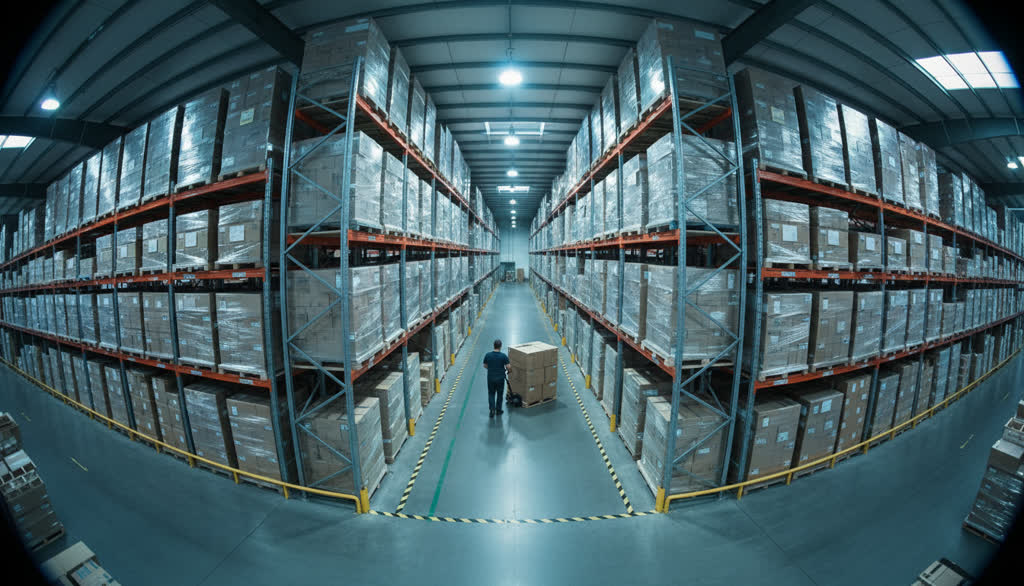
The default detector knows people and vehicles. Some sites need more: a particular vehicle type, a pallet jack, a hi-vis rule. Site adaptation is the path from your own footage to a model tuned for your floor — and that footage never leaves the building. You do not start the training. There is deliberately no training console: this is a service we perform.
- Correcting is labelling. Your operators already confirm or dismiss every alarm. Marking “that is not a forklift”, or drawing the box the detector missed, is the only part that happens on your side — because that is where the data is.
- You ask, we train. Adaptation starts with a written request, not a button in the app. The training recipe is ours and fixed; training runs on your own equipment in a scheduled window, so it never competes with live detection for the same card.
- A gate the candidate must beat. The candidate is scored against the pinned model on a validation set frozen for your site. If it does not beat the incumbent it does not ship — and you see both numbers before anything changes.
- Provenance on every event. Each event carries the model version that produced it. Rolling back is one pin change.
What you deliberately do not get: hyperparameters, dataset upload, or an “AI console”. A wrong learning rate does not raise an error — it produces a quietly worse model, and that model is the one watching your aisles; you would see the damage weeks later, as missed events. That is also why the base model ships with a replay set: fine-tuning on one site's data alone erases what the model already knew. The second reason is legal — under EU AI Act Art. 25 a deployer who substantially modifies a system becomes its provider and inherits every obligation. That is exactly why we dropped self-service training (decision of 4 Aug 2026): the recipe, the training and the gate stay with us, while you supply the data and see the numbers.
The model trained on your floor stays yours
This is written into the contract, not into a sales page. Terms §7:
- Your footage never trains anyone else's model. Not ours, not another customer's. The prohibition is absolute and it survives termination.
- A site model is trained only on your data, only for your sites, on your own equipment — and it is never merged with anyone else's.
- You keep a perpetual, irrevocable, royalty-free licence to it, including after you stop paying us. If you leave, you do not leave the model behind.
- You can have it deleted on written request, at any time.
Ask the same four questions of a cloud-first vendor before you sign with them.
The reference edge box
Ubuntu with an NVIDIA dGPU - Turing or newer, with NVDEC. The table above tells you how many cameras each card carries. The box is yours - the PoC runs on your existing GPU host or on your integrator's box; we neither sell nor lend hardware, but we send the spec and check the vendor's quote within a day. Jetson Orin NX is sized in the table and measured on the unit before we quote it; a PoC never waits for one.